
A hotel guest arrives late and asks what is still available to eat. Reception has a printed sheet, the kitchen has a different closing time and the guest's phone opens a general restaurant menu. Each source may be understandable on its own, yet the combined experience leaves basic questions unresolved. A dedicated late-service menu can help when it clearly explains availability, ordering and fulfilment. This is a planning scenario, not a claim about a particular hotel's results.
Define the actual service before designing the page
Start with the operating agreement between reception and the food-service team. What can be prepared late, during which hours and by whom? Is the guest collecting an item, ordering at the bar or following another established process? A page should describe that real arrangement. It should not imply room service, immediate preparation or round-the-clock availability unless the hotel actually provides it.
Select a manageable offering that the responsible team can fulfil. A full daytime restaurant catalogue can create false expectations if only a small selection remains available at night. Write the service window in plain language and clarify what happens near closing. If an item becomes unavailable, reception needs a reliable way to learn that and communicate the alternative before guests commit to it.
Keep ordering instructions beside the offer
Guests should not have to infer how to request the food. State the approved next step where the menu is viewed. If the process requires contacting reception, explain that; if an ordering function is actually included in the configured service, test it end to end. Do not add a visual “order” instruction that leads nowhere or implies a hotel-system integration that has not been implemented.
Check the language used for fulfilment. A menu link by itself does not arrange payment, room charging, delivery or collection. These depend on the hotel's actual setup and should be described accurately. Test the complete guest journey with reception: find the menu, choose an item, ask a question and reach the point where staff know what to do. Every unclear handoff is an opportunity to improve the instructions.
Translate the service rules as carefully as the dishes
Food names receive attention, but opening times and ordering instructions are equally important for a tired traveller. Translate the approved rules from one clear source. Check that the late-service hours remain distinct from breakfast and daytime restaurant hours. Keep product sizes, included sides and extra charges understandable. A familiar dish name does not compensate for uncertainty about whether the kitchen is still accepting requests.
Ask a fluent reviewer to inspect important instructions where possible. Test the available language routes on a phone, especially if the hotel serves guests unfamiliar with local dining terms. Do not infer dietary suitability from a translated dish name. Reception should know how to refer ingredient questions to the responsible food-service team and verified information rather than trying to fill gaps during a busy arrival period.
Choose where the menu should appear
A QR card at reception, an approved link in guest information and a screen in the appropriate area can each serve a purpose. Avoid distributing several unrelated addresses that lead to different versions of the offer. Keep the restaurant or hotel identity clear so guests recognise where they are. Inspect the physical placement of the code and test it from the guest's position rather than only from a digital proof.
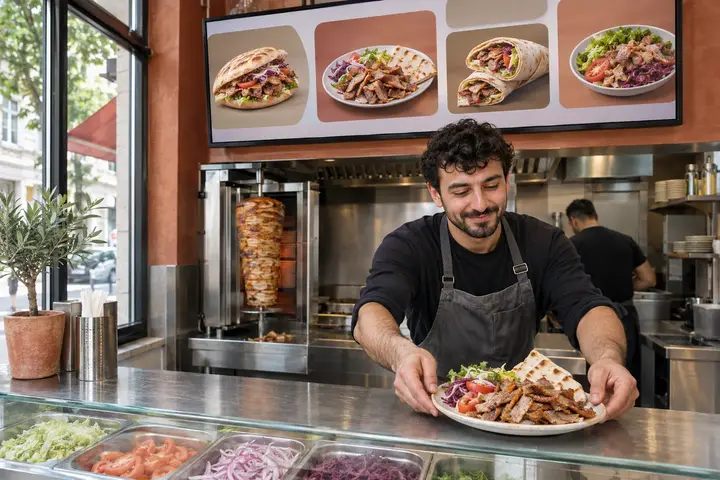
If a screen is part of the plan, decide how its content will be maintained. An exported video needs a file-update routine; a live display needs its configured delivery process. The choice should fit the people working the late shift. A system that requires a daytime specialist for every small correction may leave reception with an outdated promise precisely when guests need the clearest information.
Use AI to prepare content from an approved brief
An assistant can be given the verified dish information and asked for concise descriptions or clearer late-service instructions where the relevant tools are supported. Specify the service hours and ordering process instead of asking it to invent a hotel offering. Review any wording that implies speed, delivery or a payment option. These are operating promises that need confirmation from the hotel.
Nina GO AI offers restaurant menu, website and screen routes whose scope depends on the chosen package. Use how it works and the package overview to assess the content workflow. Hotel property-management connections, room charging and room-service fulfilment should be treated as separate requirements unless explicitly verified for your setup. A clear boundary helps the hotel choose based on demonstrated capability.
Give reception a simple current reference
Keep a short handover containing the current public link, service window, responsible food-service contact and the procedure for a temporary change. Make the current version easy to distinguish from old printed sheets. Before the evening shift, check a representative product and the ordering instruction through the guest-facing link. Reception should be able to answer the same questions the menu answers.
After trying the process, ask staff which questions guests still raise. Perhaps collection is unclear, the service window is buried or a translated portion label needs attention. Improve those points without assuming the menu alone can eliminate all enquiries. A useful late-service menu supports a human welcome by making the routine facts easier to find and keeping the remaining conversation focused on the guest's actual needs.



