
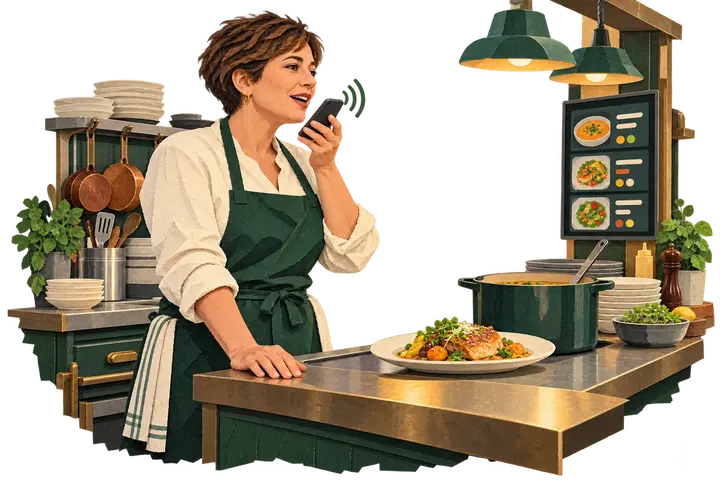
A bistro often earns its character through an offer that changes with the kitchen's day. A soup, a seasonal main course or a small lunch combination can make a familiar room feel fresh. The menu has to keep pace with that rhythm while still giving regular guests a clear point of reference. An AI-powered digital menu can support the preparation and presentation of those changes, helping the operator turn today's kitchen decision into information the team can maintain and guests can understand.
Separate the familiar offer from today's highlight
Start by deciding which products belong to the regular menu and which deserve attention as the daily selection. Guests benefit from recognising familiar choices while being able to spot what is new. A clear structure can make both parts feel intentional. It also gives the operator a better starting point for updates than repeatedly rewriting the entire menu whenever the chef introduces a different dish.
Imagine a small bistro with a stable drink selection, a few regular dishes and a changing lunch offer. The daily soup should have a recognisable name and an accurate description. The team can then choose how prominently to present it on the guest menu and relevant screens. Nina GO AI supports working with menu products and screen content within a connected restaurant environment, so the actual dish can remain the reference throughout that preparation.
Write the daily dish for somebody choosing lunch
A person looking for lunch usually wants to understand the dish, what comes with it and how it fits the meal they have in mind. Explain the main ingredient and preparation in clear language. If the kitchen changes an accompaniment, make that change visible in the product information. A concise and specific description can be more inviting than a long promotional paragraph that leaves the actual plate unclear.
The assistant can help prepare supported wording from the bistro's own information. Give it the dish and the details the kitchen has agreed on. The operator can then select a tone that fits the room, whether that is informal and familiar or quieter and more refined. The aim is to express the bistro's personality while keeping the description recognisable to the colleague who will carry the plate to the guest.
Turn the kitchen conversation into a focused request
The day's offer often begins as a spoken exchange between the chef and the manager. With an available voice setup, the manager can turn that decision into a supported assistant request. Identify the dish, explain the desired task and inspect the proposed result. This can make the transition from kitchen knowledge to menu preparation feel more direct, especially when the operator already knows exactly what needs to be expressed.
Nina GO AI's text and supported voice functions connect with the relevant assistant tools. The available actions depend on configuration and permissions, and menu updates follow the appropriate change and publishing workflow. For the bistro, the useful habit is to keep each request understandable. Finish one clear piece of work before combining it with a separate pricing decision, a new combination and a different screen campaign.
Give the lunch presentation an intentional place
A screen near the counter or entrance can introduce the daily dish before a guest opens the fuller menu. Choose a legible product name, an appealing image and the information needed to understand the offer. The screen does not have to repeat every detail from the phone menu. Its job is to make the day's selection easy to notice and invite the guest to consider it.
Nina GO AI includes supported screen campaign scheduling around published products or combinations. In the proposed setup, inspect the selected target, relevant days and times and destination screen. The displayed campaign price follows the menu target's own price. This keeps the visual presentation tied to an actual offer rather than creating another disconnected price to maintain. The bistro decides the commercial content and the period in which it should receive attention.
Keep a changing offer clear for the whole team
Daily changes are easier to maintain when responsibility is visible. Decide who confirms the kitchen's description, who prepares the menu update and who checks the relevant guest view before service. A colleague arriving later should be able to identify the active offer from the menu rather than rely on a remembered conversation. These ordinary handover habits make the digital tools more useful throughout a shift.
When a dish is unavailable or replaced, use the supported workflow for the intended menu change and inspect the result. If language versions are used, review the affected descriptions as well. They should continue to carry the same dish and included elements. Accurate source information makes both content assistance and translation more valuable because the system has a clear offer to work with.
Show the rhythm of a real bistro in the demonstration
Bring a regular product and a representative daily dish to the demonstration. Follow how the daily description is prepared, how a supported change is reviewed and how the selected presentation is published. Include an available voice interaction if speaking was the feature that caught your attention. Then inspect the screen or guest menu in the context where the information will actually be read.
The strongest digital menu for a bistro supports change without losing familiarity. It gives the kitchen room to introduce something fresh and the team a clear way to explain it. Explore the Nina GO AI solutions and discuss your own daily menu through the contact page. A useful demonstration should feel like preparing tomorrow's lunch offer in your own bistro, with a result the whole team can recognise.



