
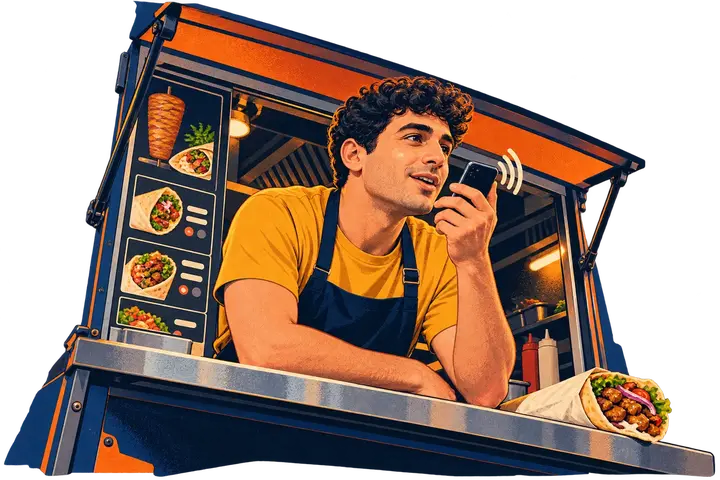
At a döner shop or a takeaway, the menu has to work as quickly as the service. A guest needs to recognise the difference between a sandwich, a wrap, a plate and a combination while the team is preparing the next order. A digital menu with AI assistance can make that offer easier to organise and maintain. Its value begins with a clear product structure that reflects the way the shop actually works, rather than with adding a fashionable technology label to an already crowded board.
Organise the menu around familiar decisions
Start with the choices guests make most often. Group the main products in a way that matches the counter conversation, then keep variations and additions understandable. A sandwich and a plate can share ingredients without being the same product. A meal combination should explain what it includes. These simple distinctions make the offer easier to present and give the team a reliable starting point for maintaining it.
Think of a hypothetical takeaway that serves döner sandwiches, dürüm wraps and plates, alongside drinks and a vegetarian option. A compact category structure lets guests compare the main choices before looking at details. Clear product names also help the operator find the right entry during an update. Nina GO AI supports menu management within a connected restaurant environment, so this organisation can become useful for both everyday editing and selected guest presentations.
Explain what comes with the order
The most useful description often answers a small practical question. Is the salad part of the plate? What comes with the combination? Which additions are optional? Accurate wording saves the guest from having to infer the offer from a photograph alone. Keep explanations close to the actual portion and preparation. The kitchen and counter team should be comfortable using the same description when somebody asks for clarification.
AI can assist with supported content preparation, but the shop supplies the product knowledge. Give the assistant a precise starting point instead of asking for an impressive story about a vaguely named dish. A short, appetising description can then support the ordering decision without adding ingredients or promises the business cannot confirm. Consistent terminology also makes it easier to maintain language versions when the same offer serves guests with different reading preferences.
Give the counter display a clear job
A menu board above the counter works differently from a detailed menu on a phone. Its main purpose is to help somebody understand the offer from the normal ordering position. Choose readable names, a clear visual hierarchy and enough space around the important choices. A strong food image can support recognition, while the product name and price carry the information the guest needs to make the order.
Nina GO AI includes screen content and design workflows alongside its menu tools. This gives the operator a way to prepare selected products for the screen environment rather than recreating the offer in a separate design document each time. Check the actual screen assignment, layout and publication state in the proposed setup. The most attractive board is the one the shop can keep accurate while running an ordinary service.
Use conversation to make a specific update
The owner may notice a missing description or decide that an item should be presented differently. A conversational assistant can help turn that observation into a supported task. With the available voice setup, speaking can be a direct way to identify an item and describe the desired change. Text remains useful when the counter is noisy or the exact spelling of a product matters.
Keep the request connected with a recognisable entry. Find the product, inspect the proposed operation and follow the relevant change and publication workflow. The assistant supports the task; the owner determines the offer and selling price. When a new combination is introduced, clarify its contents and price separately instead of assuming that the relationship between products will be obvious to everybody who later reads the menu.
Keep combinations and availability understandable
A popular combination can help a guest make a quick choice when its contents are easy to understand. Give it a distinct identity in the menu and show the actual included products. If a drink choice or an addition changes the offer, explain that relationship clearly. The aim is an offer the team can describe consistently at the counter, on the phone menu and in any relevant screen presentation.
The same clarity matters when an item is unavailable. The operator needs to understand what has changed in the menu and what the published guest view now shows. Discuss the supported availability workflow in a demonstration and decide who will maintain it during a shift. This creates a useful routine for the team and helps avoid relying on somebody's memory of a conversation earlier in the day.
Build the demonstration around the shop's real service
Bring a small but representative part of your menu: a sandwich, a wrap, a plate and a combination. Follow how those entries are organised, described and prepared for the presentations you need. Try finding an item through the assistant and inspect an available voice interaction. Also check the screen from the place where a guest would normally stand rather than judging the whole experience from a close-up computer view.
For a döner shop or takeaway, effective digitalisation should fit the rhythm of fast service. A clear product structure, accurate information and an understandable update routine are a strong foundation. Explore the Nina GO AI restaurant solutions and discuss your own counter and menu through the contact page. The right starting point is the real question your team hears at the counter every day.



