
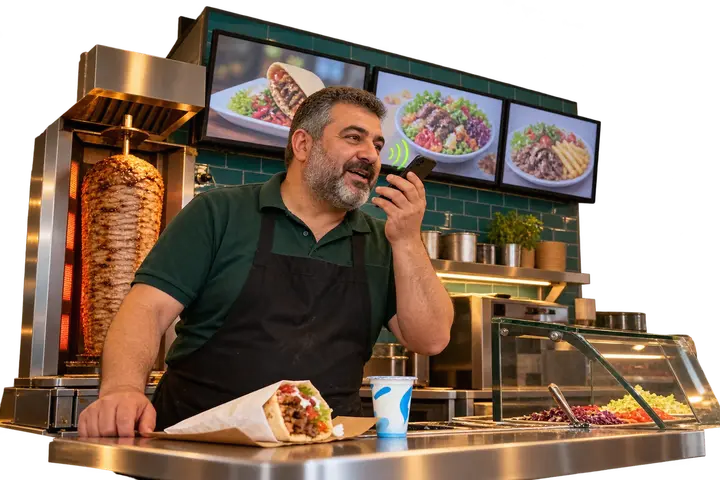
A new purchase price reaches the owner just before the döner shop opens. The menu needs attention, but the counter is already being prepared and nobody wants to hunt for an old design file just to change one item. This is a recognisable reason to look for an AI menu with voice control. The aim is not to let software decide the selling price. It is to make the owner's chosen change easier to express, review and carry through the supported menu workflow.
Start with the exact item
A typical takeaway menu can contain a döner sandwich, a dürüm, a plate and several meal combinations. Their names may be similar, but the products and their prices are different. Before asking an assistant to change anything, establish which entry you mean. Naming the product and its category is more useful than saying that the döner should become more expensive. Precision at this point prevents uncertainty later at the counter.
With Nina GO AI, supported menu requests work with the restaurant's own products. A useful conversation can begin by asking to show the current entry. The operator can inspect the name and current information, then give the intended instruction. This approach is especially valuable when the same business offers different meats, portions or combinations. A spoken request should narrow down the commercial decision rather than leave the assistant to infer it from a vague phrase.
Say the decision you have already made
Voice control is useful for communicating a decision. The owner sets the new selling price based on the business's own calculation and then names the target in a supported request. The assistant is not being asked to predict the market or choose what local guests will pay. This distinction keeps the conversation practical and makes it easier to judge whether the resulting operation matches the intended change.
Speak clearly, preferably away from the busiest part of the service. If a product name is ambiguous, ask to find it first or use text for the precise wording. A short request about one item is often easier to verify than an instruction combining several prices, product removals and a new campaign. Speed has value when the result remains understandable to the person responsible for the offer.
Review the proposal before treating it as finished
A confident spoken response is not the same thing as a completed menu update. Check the selected item and the before-and-after information shown by the supported workflow. Nina GO AI uses preview and control mechanisms for menu changes. The exact handling depends on the operation and the configured permissions, so a demonstration should show what your team will actually see rather than rely on a generic promise of instant publication.
After the operation, inspect the published presentation that matters for service. If the price is not yet published, the team should not announce it as active. Keep the counter staff informed about the chosen effective change. The purpose is a coherent offer: the person taking an order and the guest reading the menu should understand the same product at the same current price. A microphone helps initiate the work; it does not replace this shared understanding.
Keep meal combinations in the conversation
Changing a sandwich price does not automatically explain what should happen to a meal combination. A combination can be its own offer with its own price. If the owner also wants to adjust a sandwich-and-drink deal, that is another business decision that needs a clear target. Ask about the combination separately instead of assuming that every related item must move by the same amount.
The same principle applies to extras. An additional portion of meat, a different bread or an optional topping should be described according to how the business actually sells it. Avoid asking the assistant to invent new pricing relationships. Nina GO AI can support working with the configured menu structure, while the operator keeps control of what the offer includes. Clear names also help a colleague understand the update after the original conversation has ended.
Connect the change with the right presentation
A döner business may show a compact counter display while guests also browse a menu on their phones. These presentations have different space and reading conditions. Nina GO AI's menu and screen tools can work within a connected environment, but the business should verify the selected product, publishing state and screen assignment. Do not assume that every existing sign or external channel has automatically received a software update.
Use the opportunity to improve the explanation around the price as well. A short, accurate description of the portion and included items can prevent confusion. It should not hide what changed behind an exaggerated slogan. For an in-store screen, readable product names and visible prices usually matter more than a dense paragraph. The assistant can help prepare supported content, while the final presentation stays close to the real order at the counter.
Test a realistic opening routine
In a demonstration, use a familiar döner item and a separate combination. Find each entry, inspect the existing information, try a reviewable change and follow the publication step. Then check the relevant guest view. Also try a correction when the first request is not specific enough. A useful system should let the operator understand the task and refine it without turning a small change into a mysterious conversation.
This makes voice-controlled menu management relevant to a takeaway's daily rhythm. The strongest benefit is the shorter distance between a clear business decision and an understandable operation. Read how the Nina GO AI workflow is organised, then bring your own menu to a demonstration discussion. The meaningful question is whether your team can maintain accurate prices with confidence during an ordinary working day.



