
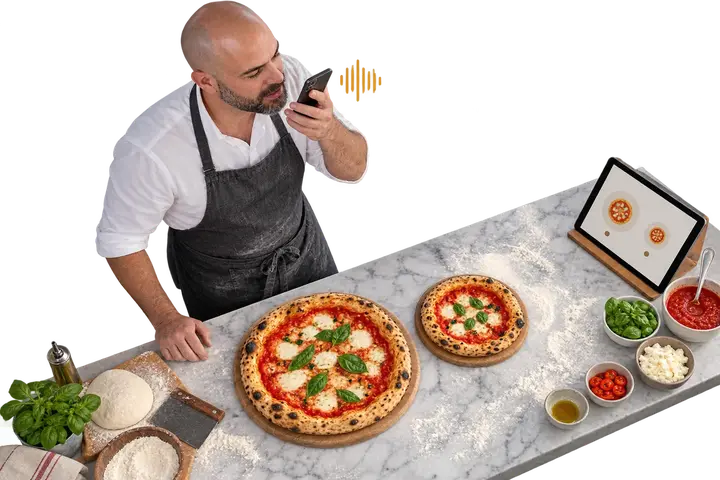
A pizzeria's menu can become complicated long before the kitchen runs out of ideas. The same pizza appears in different sizes, guests want additional toppings and a meal offer combines products in another way. An AI-powered digital menu is useful when it helps the team express those choices clearly. The aim is a menu structure that the owner can maintain and the guest can understand, while the actual recipe and commercial decisions remain with the pizzeria.
Let the pizza keep its identity
Begin with the base pizza: its name, the ingredients that define it and the offer the guest receives before making additional choices. This establishes a shared reference for the kitchen, the menu and the assistant. A familiar name is valuable when it reliably points to the same product. The explanation underneath can then describe the topping rather than trying to repair an ambiguous product structure.
Imagine a neighbourhood pizzeria with a signature vegetable pizza. The base recipe stays recognisable while the business offers different sizes and selected additions. Describe the included ingredients clearly and keep optional extras separate. Nina GO AI supports working with restaurant products, descriptions and configured menu choices within its connected environment. The useful first step is to reflect the pizzeria's actual selling structure rather than copy a generic demonstration menu without adapting it.
Show sizes as meaningful choices
Size information helps a guest compare products only when the labels refer to the offer consistently. Use the actual sizes the pizzeria sells and make the relationship to the base product easy to understand. If the kitchen uses a particular naming convention, carry it through the relevant presentation. Avoid making guests infer the size from photographs whose framing may make every pizza look equally large.
The operator also needs to understand how the configured sizes and their prices are maintained. Ask the provider to demonstrate the structure your business requires. A statement that a system supports digital menus does not explain every possible variation arrangement. A useful demonstration shows a real pizza in the required choices, how the team edits it and what the guest sees in the intended ordering or reading context.
Keep extras distinct from included toppings
Optional toppings deserve clear names and clear commercial meaning. A guest should be able to tell whether mushrooms are already on the pizza or are being offered as an addition. The same applies to a different base or an extra portion of an ingredient. Accurate descriptions support the kitchen because they reduce uncertainty about what the menu itself promises.
Use the assistant for a specific supported task, such as locating the relevant product or preparing wording based on the pizzeria's own information. The owner decides which additions the kitchen can supply and how they are priced. A lively description should preserve those relationships. It should not quietly turn an optional topping into part of the standard recipe simply because the resulting sentence sounds more attractive.
Give combinations their own clear explanation
A pizza-and-drink offer can be useful when the guest understands what is included without having to ask several follow-up questions. Treat the combination as a recognisable commercial offer. Explain which pizza or selection it covers, which drink is part of it and how the chosen presentation identifies the deal. Keep that explanation close to the configured menu structure so the team can maintain it consistently.
When a base product changes, inspect the related offer rather than assuming that every combination should inherit the same change. The business may want a different decision for the combination. Nina GO AI's supported workflows can connect menu products and selected screen campaigns, while the campaign price follows its menu target. In practice, the pizzeria should be able to identify the actual target and understand how the offer appears to the guest.
Make the screen appetising without hiding the choices
A pizza image is a strong visual asset, but it cannot explain every size and extra by itself. On a menu board, give the base product and important choices a clear hierarchy. On a phone, make the explanation easy to read before the guest makes a decision. The two contexts can share the same product identity while using different amounts of text and different image framing.
Nina GO AI includes supported design and media preparation tools. AI visuals can help explore a presentation where the required setup and generation access are available. Use images that represent the actual food honestly and check the result against the pizzeria's offer. An attractive photograph or illustration works best when it supports an accurate product name and a menu structure the team understands.
Test the whole choice with a real pizza
Bring a familiar pizza to the demonstration and ask to follow its base description, sizes, optional toppings and a relevant combination. Then try a small supported content change through the assistant. A voice interaction can be included where the chosen setup supports it. Inspect the result in the guest presentation rather than evaluating the system only through a list of features.
A well-organised pizzeria menu makes variety feel inviting instead of confusing. It lets the kitchen's creativity remain visible while keeping the ordering choices clear. Explore the Nina GO AI workflow and use the contact page to discuss your particular size and extra structure. The most useful digital menu demonstration begins with a pizza your team already knows how to prepare and sell.



