
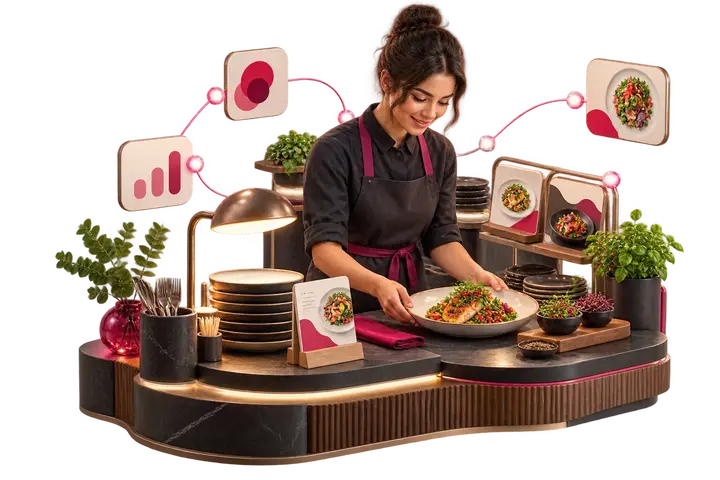
The manager has a good lunch idea. The chef has the dish, the designer has a picture, and the team has several places where the offer must be explained. A general chatbot can write an enthusiastic paragraph, but someone still has to connect that paragraph to the actual product and the restaurant’s daily work. This is where restaurant AI becomes interesting: not as another conversation window, but as a useful route between an intention and a coherent offer.
A helpful answer should know the business
An isolated conversation begins with information copied into a prompt. A connected assistant can work with the restaurant’s known products and supported tasks. That changes the quality of the question. Instead of asking for a generic lunch promotion, the manager can discuss an offer built around a real item and understand where the resulting work belongs.
Nina GO AI brings menu design, ordering workflows and screen content into one software environment. The value is the relationship between those activities. A description becomes more useful when the team can recognise its product, intended presentation and role in service. The restaurant spends less attention reconstructing context before every conversation and more attention deciding what it wants to communicate.
Follow one lunch idea through the operation
Consider a hypothetical neighbourhood bistro preparing a vegetable soup and a grilled main for lunch. The kitchen first defines the portion and what accompanies it. The manager wants an appealing introduction for guests and a clear place for the offer on the selected screen. The staff need the same explanation when someone asks what is included.
In this example, the assistant supports a connected sequence. The product remains the reference. Wording can be explored, the intended offer can be discussed and an appropriate screen campaign can be prepared using the supported tools. The useful result is a shared understanding that travels with the work, not a polished paragraph abandoned in a chat history.
Move from an idea to a visible proposal
The leap from suggestion to action is what makes this approach practical. Nina GO AI’s setup story connects templates, menu selection, customisation and screen presentation. Its assistant tools can also prepare supported menu and campaign work for review. Staff can see what is proposed rather than interpreting a vague claim that everything has already been handled.
For the lunch example, a screen campaign can refer to a published product or combo and use a chosen day-and-time schedule. The displayed price comes from that menu target; the campaign is not a separate hidden price list. This keeps the creative conversation tied to the commercial offer. A good campaign tells a clearer story about what is sold instead of creating another conflicting version of it.
Keep people where their knowledge matters
The chef still decides what the kitchen can serve. The manager chooses the emphasis, and the service team brings questions from the floor. AI is useful when it gives those people a common starting point and handles supported preparation around it. It is less useful when a convincing sentence conceals an unanswered product question.
In the bistro, the team might prefer a simple description of the soup over a dramatic slogan. That is a brand decision, not a failure of automation. The assistant’s contribution is to make exploration easier while preserving the restaurant’s own judgement. Clear product names and a shared explanation also help new colleagues understand the offer without having to interpret several disconnected documents.
A realistic picture of the future
It is easy to imagine future restaurant work with fewer interruptions between ideas, content and service. That is a scenario about better-connected work, not a claim that an autonomous restaurant is already available. Today’s value comes from the menu, assistant and screen tools that can be used for a concrete task.
Available functions depend on the selected plan, enabled services and any required provider or credit setup. Changes still follow their supported preview, approval and publication paths. This boundary need not weaken the idea: a useful assistant makes the next action clearer, while the restaurant remains responsible for the offer it presents.
Ask for a demonstration with your own offer
Bring a real lunch idea to a Nina GO AI demonstration: the dish, its explanation and the place where guests should see it. Ask how the supported workflow carries that context from preparation to presentation. Judge the result by clarity, relevance and the handovers your team actually needs.
The strongest reason to explore restaurant AI is not that a machine can talk about food. It is that the conversation can become a useful part of the work around food. When product knowledge, creative preparation and service remain connected, the restaurant gains a more purposeful way to turn an idea into an offer guests can understand.



