
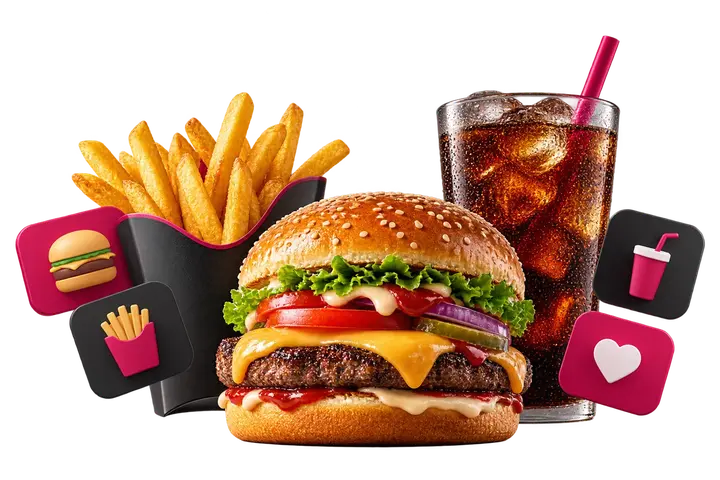
An extra should make an order more suitable for the guest. If choosing a sauce creates confusion about the final bill, the menu has made a simple decision unnecessarily difficult. A meal deal has the same test: can somebody explain what is included without asking a member of staff? Nina GO AI brings menu design and ordering into the same platform, which makes clear product definitions important before attractive cards or photographs are chosen.
Define the base product in plain language
Start with what the displayed base price actually buys. Name the portion, its standard components and any choice included in that price. If a drink is separate, do not rely on the photograph to communicate the difference. If a side is included, say which side and whether changing it affects the total. The guest should not have to infer the commercial offer from visual placement.
Imagine a burger café whose standard burger includes a particular sauce but no fries. The menu can describe that base offer directly, then present optional sides. This is easier to understand than a large appetising photograph of a complete tray followed by a small qualification elsewhere. The kitchen also gains a stable definition of the product before any customisation occurs.
Separate sizes, required choices and optional extras
A size changes the product. A required choice completes it. An optional extra adds something the guest may decline. Treating all three as a single list makes the decision harder. The wording should make the role of each selection visible, particularly on a small phone screen where only part of the order is shown at once.
Keep choice labels concrete. A sauce name is more useful than an unexplained premium label. Where the order flow requires a selection, test that it is understandable before the guest tries to continue. Do not make refusal of an extra feel like an error. Restaurant staff should be able to explain the same options verbally using the same product names.
Let a meal deal describe a real combination
A combo should specify its components and allowed alternatives. A main, a side and a drink form an intelligible offer when each part is defined. A choice such as a different bottle size may change what the kitchen or counter must provide. That difference belongs in the product information and the order result, not in an assumption remembered only by experienced staff.
Avoid presenting every combination as a saving. If there is no verified comparison with the current individual items, describe it as a convenient meal rather than an invented discount. Its value may be simpler ordering or a well-matched selection. The offer does not need a dramatic price claim to be useful and attractive to somebody deciding what to eat.
Review the total and the kitchen wording
Build sample orders covering a basic purchase, a customised version and a meal deal. At each point, ask whether the price and contents are clear. Look at the final order information from the kitchen's perspective. A visually tidy choice is not enough if the preparation team cannot distinguish an included component from an additional paid request.
Nina GO AI's published change workflow uses preview and approval, with draft or publication checks still relevant. Review the intended result instead of assuming that an edited option is already visible everywhere. An obsolete price on a saved social image also needs separate attention; a menu edit does not rewrite a picture already shared.
Include staff feedback in the trial: an option that looks obvious to its author may still be ambiguous to the person preparing the order during service.
Use design to reduce decision work
Order the choices in the sequence guests naturally need them. Explain the main item before suggesting additions. Use the same terminology on the menu, in staff explanations and in the kitchen. A short description often helps more than adding another decorative badge. If an option repeatedly produces questions, investigate its wording before concluding that customers do not understand digital ordering.
The selected Nina GO AI plan and configured ordering arrangement determine which functions are available. Check those details before designing a workflow around an assumed feature. A practical starting point is to test a familiar product with the people who sell and prepare it.
Clear extras do not guarantee a larger basket, and a larger basket does not automatically mean a better service. The useful outcome is an order the guest chose knowingly and the kitchen can fulfil correctly. Once that foundation is dependable, the restaurant can review which combinations are genuinely helpful rather than merely adding more choices to every screen.



