
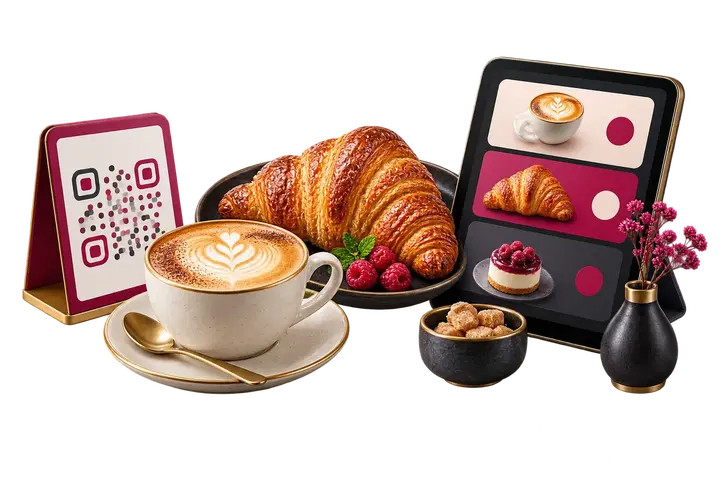
A small café does not need every digital function on its first day. It needs the next useful improvement to fit the way people already work. When prices live in a notebook, the printed menu and a staff member's memory, the first task is usually to agree on the offer itself. Nina GO AI covers QR menus, menu boards and ordering in different arrangements. Choosing where to start means matching those possibilities to a specific everyday problem.
Name the problem before choosing a screen
Ask the team what regularly interrupts service. Are guests unable to find the menu? Are staff explaining the same unclear breakfast combination? Is an outdated price still circulating? These are different problems. Installing a display may help visibility, but it will not correct a poorly defined portion. Adding ordering may simply move confusing choices from a conversation to a phone.
Choose a result that can be checked. For a neighbourhood café, that might mean that a first-time visitor can open the current drinks menu and understand what a breakfast includes. Avoid making the objective sound larger than it is. A clear starting point is easier to teach, maintain and review than a broad promise to digitise the entire business immediately.
Make the menu reliable first
Gather the actual product names, portions, prices and descriptions approved by the owner. Remove items no longer sold and identify any unresolved information. Photographs should represent the offer honestly. Where a description is uncertain, ask the person responsible for the recipe instead of allowing attractive wording to create a new promise.
Agree who may change the information and who confirms it. Keep the working menu in one recognised place. A small team may need only a modest handover note, but it still needs an owner. Without that agreement, even a well-designed digital page can become another out-of-date copy that staff stop trusting during a busy service.
Use QR where it makes access easier
A QR menu can make the current offer easier to reach at a table or counter. Test the actual code, its placement and the link using an ordinary guest phone. A working code hidden behind a condiment bottle is not a useful experience. Neither is a page that looks attractive but makes common choices difficult to understand.
Keep a practical alternative for somebody who cannot or does not want to use a phone. The digital arrangement should support hospitality rather than become a condition for receiving help. Ask staff how they will answer a menu question and where they can check the same information. The point is a dependable shared reference, not an argument about which guest should use technology.
Add a display or ordering for a reason
A menu board can suit a visible counter offer. Ordering can suit a journey in which the team is ready to receive and handle digital requests. These decisions need separate checks. Can guests read the display from the queue? Who sees a new order? How does the kitchen know what is accepted and ready? A feature has value only when its place in the service is clear.
Nina GO AI's illustrated workflow moves from template and product selection to customisation and screen use. It also distinguishes reviewing changes from their actual publication. A small café should practise that journey with a familiar item before relying on it during peak service.
Include a quiet practice period in the introduction. Let a colleague who did not prepare the menu find a common product, explain it and check the intended next step. Note where they hesitate without immediately directing them. Those questions help distinguish a training need from unclear information. The café can then adjust the cause before the new routine meets the pressure of a full counter.
Choose costs against the intended routine
Current Nina GO AI plan details distinguish included functions, screens, devices and update arrangements. Review those details with the café's real needs rather than assuming that every plan includes ongoing live editing or every AI function. Equipment, setup and the way the menu will be maintained belong in the same conversation. Avoid making a purchase decision from an isolated headline price.
After the first stage, observe the original problem again. If guests still ask the same question, improve the product information or placement before adding more modules. If staff can maintain the menu confidently, consider the next justified step. A useful digital café is built through clear responsibilities and manageable improvements, with enough flexibility for the business to grow without making every service depend on unnecessary complexity.



