
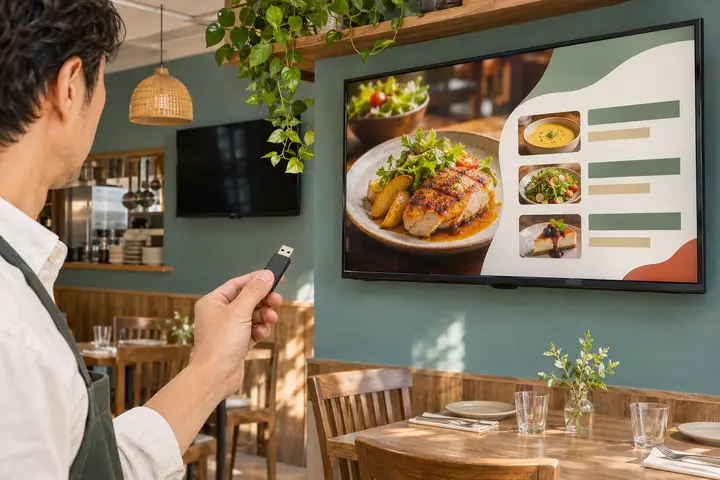
A menu video opens on the office computer, so the team carries the USB drive to a television in the dining room. That successful computer preview is useful, but it does not establish that the television can play the same file correctly. Before moving a restaurant display to another room or replacing its playback device, check the complete route on the equipment that guests will actually see. Treat compatibility as something to verify locally rather than a promise attached to a familiar file extension.
Start with the actual playback device
Identify what plays the video. A television with a USB socket may use its own media player, while another installation relies on a separate device connected to the display. Write down the relevant model and consult its supported media information. A socket alone does not establish that every video file will work. The particular file format, video encoding and playback implementation can affect the result, so use the device documentation when a file is rejected.
Keep the original download unchanged while investigating. Repeatedly converting the only copy makes it harder to distinguish a device problem from an alteration introduced during troubleshooting. If a different export or conversion is being considered, keep it separate and confirm the approved content again. Avoid treating an improvised conversion as a product feature or a general guarantee of compatibility across television models.
Test a complete viewing cycle
Open the intended file on the destination equipment before service. Watch the beginning, the transitions and the ending. Check that playback continues as expected when the file reaches its end; a pleasant opening frame does not prove that the menu will remain available throughout a shift. Use the actual remote control and media player settings to confirm the repeat option, where the equipment supports it.
Look for distortion, cropped edges and menus or controls left over the picture. Confirm that the display orientation suits the material rather than assuming that a television will rotate it automatically. Stand where guests normally make their choice and read the product information from there. A technically playable video can still be unsuitable if the content is too small, moves too quickly or disappears behind an on-screen control.
Verify which version reached the screen
Use a clearly identifiable approved download and remove ambiguity about which file the operator should select. A USB drive containing old and current versions invites the wrong choice, even when both videos play perfectly. Keep any archive outside the service handover path and record the selected filename together with the screen location. This is an operating routine the restaurant establishes, rather than an automatic archive function being claimed for the product.
Compare a visible dish and its information against the restaurant's approved menu. Nina GO AI Static USB Video provides an HD MP4 download per screen for playback through USB on compatible equipment. The file can play without internet once it is on the device. When the menu changes, a new file must be downloaded and transferred. Replaying yesterday's download cannot display a change made elsewhere after that download was created.
Check the return to normal operation
With time available before opening, check how the equipment behaves after a normal shutdown and restart. Some installations require an operator to select the media input or reopen a file. Document the steps actually observed on this installation and leave the instructions where the opening team can find them. Do not promise automatic startup or recovery unless the particular equipment and configuration have demonstrated it.
If playback fails, keep a readable approved menu available while the cause is investigated. Separate a rejected file from a disconnected input or an incorrectly selected source. This makes the handover more useful than a broad note saying that the television is broken. Never conceal an unverified display behind the assumption that a successful computer test covers every device.
Review how Nina GO AI works and the available plans when choosing between file playback and Live screen delivery. Live uses a screen connection for supported changes; it should not be described as guaranteed offline playback. Test the intended workflow on the intended equipment, confirm what staff must do after a change, and try it for free before deciding which approach suits the restaurant.



