
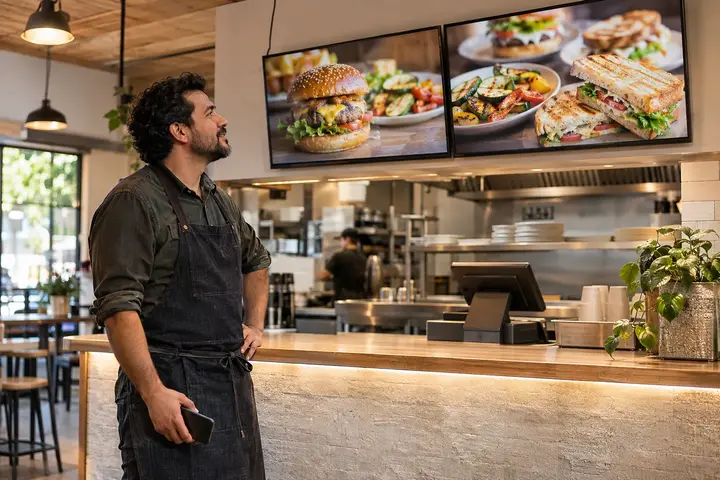
A demo is most useful when it answers questions about the restaurant's own work. Attractive sample dishes and a polished first screen are a beginning, but they do not show whether a colleague can correct a price during service or whether guests can understand a product with options. A short test plan turns the trial into evidence for a decision. The aim is to identify the right operating route and any unresolved questions before adopting it.
Prepare a representative test menu
Choose a small selection that includes a simple dish, a product with sizes, a meal deal, a long description and an item with a house-specific name. Supply current approved facts and clear source photographs where relevant. Testing only uncomplicated items hides the situations that create work later. Keep a separate record of what each selected product should contain so that the result can be checked independently.
Name the people who will take part. The owner may approve content while a colleague handles routine edits and another person checks the guest view. Give each a practical task instead of asking whether they “like the system”. Their ability to complete a task and explain the result supplies more useful information than a general impression after watching someone else click through a demonstration.
Day one: inspect creation and structure
If the workflow starts from a menu photograph, compare the created products with that photograph. Check category placement, names, sizes, decimal separators and descriptions. Note which corrections are straightforward and which require help. Do not treat a successful upload as approval of the imported information. The first day should end with a small menu whose facts the restaurant has actually reviewed.
Open the customer view on a phone outside the management session. Find the selected products and follow their available choices. Inspect the restaurant identity and any relevant language controls. Record questions while the initial setup is fresh: where to correct a category, how an edit reaches the public view and which features depend on the service selected. A short issue list prevents uncertainties from disappearing behind the excitement of the first result.
Day two: rehearse ordinary changes
Change one approved price, revise a description and work through a temporary availability scenario using the supported controls. Ask the colleague who would normally handle these tasks to perform them. Observe whether they can identify the correct product and verify the public result. Where AI assistance is available, test a precise request and review what it actually did rather than relying only on the conversational reply.
If translated content is part of the test, compare a product with options across the relevant languages. Check names, quantities and the distinction between included items and extras. Have a fluent reviewer inspect important wording where possible. Record which tasks were completed independently and which needed support. That information helps the restaurant plan training and responsibility after the demo.
Test the screen route you intend to operate
A television preview does not answer every question about ongoing delivery. For a downloadable video route, ask how the approved output is obtained and how it reaches the restaurant's player. For live delivery, test the relevant screen connection and publication path with compatible equipment. Check readability from the queue and inspect a long product name. Use actual installation guidance for the configuration being assessed.
Nina GO AI's published offering describes a three-day demo and distinguishes QR menu, downloadable video and live screen routes. Some final outputs or features may depend on purchase or package, so confirm what the demo can demonstrate and what remains to be verified. The current package page provides the scope and terms. Do not mark an untested post-purchase step as successfully tested during the trial.
Day three: make a practical handover
Ask someone who did not perform the initial setup to complete a routine edit using your notes. Have them locate the product, make the approved change through available controls and verify the customer-facing result. This tests the handover as well as the software. If the process works only when the original editor stands beside them, add clearer instructions or arrange the necessary training.
Review the open issue list with support or the responsible provider. Separate a missing capability from an unfamiliar control and a device problem from a content problem. These distinctions help avoid choosing a more complex setup to solve a simple training gap, or choosing a minimal setup while expecting a delivery method it does not include. Ask for an explicit explanation when package boundaries remain unclear.
Finish with evidence for a choice
Write a short decision note covering the tasks completed, the delivery route tested, unresolved questions and the person responsible for daily updates. Include the current commercial terms from the official offer rather than copying a remembered promotional price. Consider the team's ability to operate the process alongside the initial appearance. A beautiful menu that nobody can reliably maintain is an incomplete result.
Use the workflow guide to revisit the setup sequence and the contact page for questions that remain. The best demo outcome is not necessarily the broadest package. It is a clear understanding of what the restaurant needs, what the service provides and what the team has demonstrated with real content. That makes the eventual decision easier to explain and the first live service easier to manage.



