
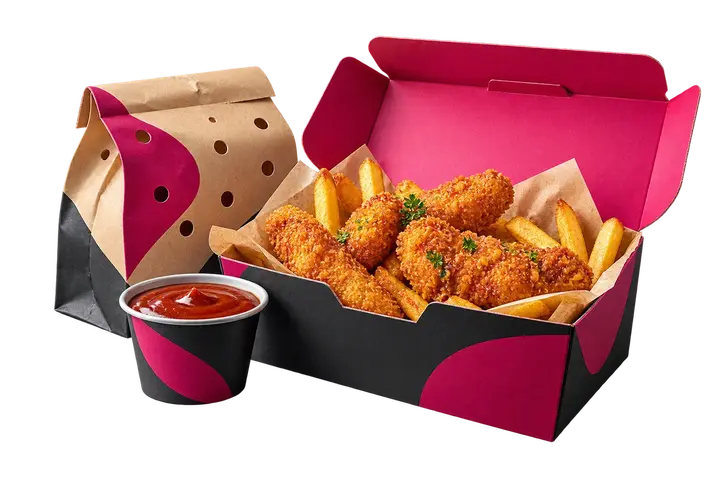
A seasonal menu is usually planned around its launch: new dishes, appealing images and a promotional board. Its closing date receives less attention. Weeks later, an old offer can still appear in a phone category, a translated description or a video loop. The restaurant then has to explain why a guest cannot order what is still being promoted. Planning the return path at the beginning makes seasonal content easier to maintain and retire.
Define the seasonal offer as a distinct release
Write down which products belong to the season, when they are intended to be served and which facts have been approved. Include variants, prices, preparation descriptions and any combination rules. Name the person who decides when service starts and ends. A theme such as “winter specials” is not enough to tell staff whether an individual dish remains available after the rest of the category closes.
Separate new seasonal products from changes to permanent products. If an existing dish receives a temporary description or presentation, preserve the approved ordinary version. Otherwise, retiring the seasonal material can become an attempt to reconstruct the old menu from memory. A simple source record gives the next shift a clear answer to what should return when the promotion ends.
Map every place the offer will be seen
List the public surfaces that will carry it: phone menu, website, television board, downloaded video and any other channels actually being used. Note where a full description appears and where a shortened title appears. The same dish can be presented differently in each place, but its ingredients, portions and offer rules should agree. Review related permanent products too if the seasonal offer changes how they are described.
Translations belong in this map. A seasonal category that is introduced in several languages needs a closing check across those same versions. Keep the source wording and language approvals together. If a late recipe change occurs, identify which descriptions need revision before publication. The launch schedule should leave room for that review instead of treating translation as a final decorative step.
Prepare AI-assisted drafts from current facts
An assistant can help propose category names, concise descriptions or a shorter board headline when the relevant tools are available. Supply the actual dishes and constraints. Ask for a consistent tone without inventing origin stories, ingredients or seasonal availability claims. A winter theme does not establish that an ingredient is locally sourced, and a festive name does not define what is included in a meal.
Review imagery with the same care. A representative editorial image can introduce a category, while a product image should not suggest a different portion or preparation. Tell the team what the image is intended to communicate. Avoid letting a generated or stock-style picture become the only specification for what the kitchen must deliver. The verified recipe and approved serving remain the source of truth.
Rehearse the public launch
Open the customer menu and find a seasonal dish without guidance from the editor. Check its category, description, price and options. Inspect the actual board from the queue if one is used. For exported video, verify the final file on the playback device. A correct draft in the panel does not establish that all the intended guest-facing surfaces now carry the launch version.
Give staff a short explanation of the offer and its boundaries. They should know which extras are included, what has changed from the ordinary menu and how to answer availability questions. Record unresolved issues before launch. If an item cannot be verified, hold it back instead of filling the gap with plausible wording. A smaller clear offer is easier to operate than a broader ambiguous one.
Write the retirement checklist before the season ends
The closing checklist should identify which items will leave, which permanent descriptions will return and which screens or files require an update. Do not assume an automatic date schedule exists unless it has been demonstrated in the configured system. A manual reminder and a named owner can be appropriate where the actual workflow is manual. The important point is that someone knows the action and the verification step.
On the closing day, confirm the kitchen's actual availability before changing the presentation. Check combination offers and translated categories as well as individual dishes. If a video file advertised the seasonal range, replace or retire that file through the relevant delivery procedure. Staff should receive the same final status that a guest sees, particularly when remaining stock leads to a staged withdrawal.
Preserve useful work without leaving it public
Keep approved descriptions and operational notes for possible future use in the appropriate source records. Before reusing them next season, recheck recipes, portions and commercial terms. Last year's correct wording is a helpful starting point, not proof that this year's offer is identical. Record which parts of the previous launch caused questions so that the next version improves those details.
Nina GO AI's menu, website and screen options can support the relevant content route, with capabilities determined by the package. Review the workflow and current package scope when planning how your team will publish and retire content. A successful seasonal launch includes a clear ending: customers see what can still be ordered, staff have a current reference and the ordinary menu returns without an improvised cleanup.



