
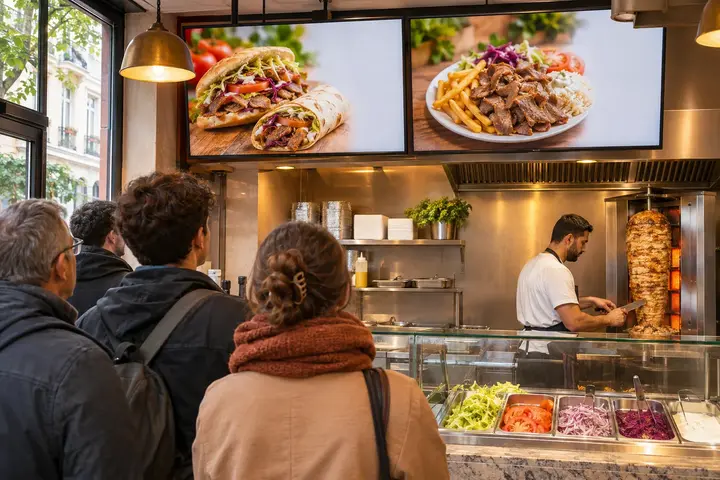
The lunch special sells out while a queue is still forming. A colleague tells the next customer, but the television still promotes it and a guest at a table has already chosen it on a phone. The problem is not simply a missing dish. Different parts of the restaurant are communicating different offers. A short availability procedure helps the team respond without turning a normal stock situation into a series of avoidable disappointments.
Decide what the kitchen can still fulfil
First confirm the situation with the person responsible for preparation. Has the product completely sold out, is one option unavailable, or can it return after another batch is ready? A missing sauce does not always mean the whole dish is unavailable. Equally, a possible later batch should not be described as available now. The public message should match what the team can actually serve at that moment.
Choose one responsible person to coordinate the update. This prevents one colleague removing the dish while another announces that it is returning shortly. Record the full product name and affected size or variant. If there are open orders, tell the relevant service staff before changing public wording so that guests who have already ordered receive a clear explanation.
Match the action to the available controls
Inspect the controls your menu workflow actually offers. Depending on the system and setup, the appropriate action may be an availability setting, a temporary descriptive note or a revised displayed selection. Do not assume an automatic inventory connection exists. When evaluating an AI-assisted system, ask for a demonstration of this exact situation rather than interpreting a general “smart management” description as stock synchronisation.
If supported, a bounded assistant request might identify the product and ask for a proposed availability edit. Review what it affects before using it. Related combination offers, translated descriptions and promotional cards may require separate checks. A single product record can appear in several places, and an attractive promotion can remain misleading even after a main listing has been corrected.
Check the guest-facing surfaces in order
Start with the surfaces where a guest can make an immediate choice. Open the public QR menu on a phone and inspect the item within its category. If ordering is part of your setup, check the available choices there too. Then look at the menu boards from the queue and confirm that the message matches. Let staff know when the public update is complete rather than assuming they saw a panel notification.
An existing browser tab can complicate the check. Compare a newly opened customer page with any screen already running, and verify its actual state. The purpose is not to invent a universal refresh rule but to see how your configured workflow behaves. Keep a staff explanation ready while the correction reaches each surface. Guests should receive a straightforward answer even if a device needs attention.
Treat exported video as a separate release
A downloaded MP4 is a file. Editing content in a management panel does not rewrite the copy already playing from a USB stick. If the restaurant uses an exported video, prepare the revised version through the available process, transfer it to the correct media and verify playback on the television. Check that the old file is not still selected in a playlist or loop.
Live screen management follows a different delivery route. Nina GO AI's published offer distinguishes Static USB Video from live packages, so the restaurant should choose based on how often information needs to change and who can perform the necessary steps. Refer to the package overview for the current scope. A workflow that is comfortable for a seasonal design may be inconvenient for repeated changes during service.
Offer an alternative without inventing a substitute
Agree on a suitable alternative with the kitchen. It may be another prepared dish or a variant the team can reliably make. State differences clearly, including portion and price, instead of implying the replacement is identical. An AI assistant can help draft concise wording from the approved facts, but staff should decide whether the suggested alternative fits the guest's request.
For example, if a vegetable lunch dish is unavailable, a different vegetable dish is not automatically interchangeable. Ingredients, preparation and customer preferences can differ. Avoid dietary or allergen assurances inferred from similar names. When a guest raises a suitability question, refer it to the responsible team and verified product information. Clear communication is more useful than a hurried recommendation with unsupported detail.
Prepare the reopening step too
Temporary changes need an ending. Before the next service, confirm whether the item is available and restore the approved presentation where appropriate. Recheck offers and any exported media that were changed. A dish that remains hidden after stock returns creates a different operational problem, so the closing checklist should name the person responsible for reviewing temporary availability notes.
After a busy shift, note where confusion occurred: the QR page, a screen, a staff handover or a video file. Use that observation to improve the procedure rather than assuming that every sold-out event needs more automation. The workflow guide can help frame a demonstration of the relevant tools. A reliable process makes the restaurant's promise consistent from the first menu view to the final staff conversation.



