
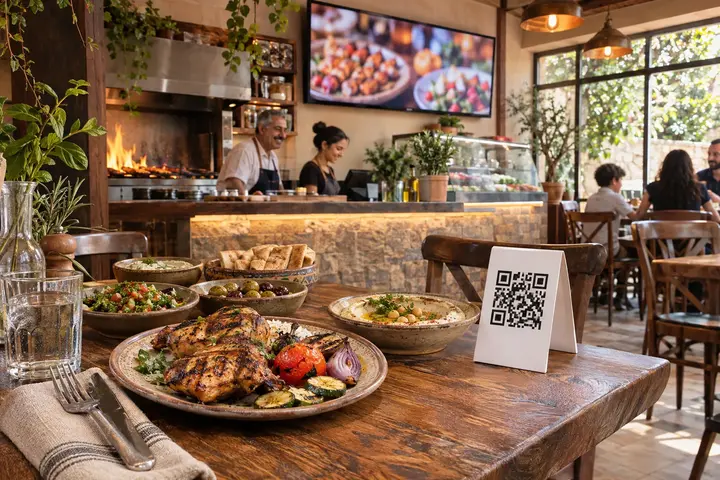
A restaurant changes a price and wonders whether every table card now needs reprinting. The answer depends on what the QR code contains and whether its destination has changed. A code that opens a stable menu address can continue pointing to that address while the page content changes. A code that points directly to an old file or a discarded address needs a different review. Start by inspecting the destination, not by ordering another batch of printed cards.
Separate the code from the page it opens
A QR code can encode a web address. The address leads to content; the pattern printed on the table does not contain a live copy of every dish and price. If the address remains valid and the restaurant updates the content served there, the printed code can still be useful. That distinction explains why changing a product does not necessarily imply changing the code.
However, do not assume every QR service uses the same architecture. A code might lead to a PDF, an intermediate redirect or an address controlled by another provider. Inspect the actual result with an ordinary phone and record the destination. Ask who controls it and how long it remains available. These questions are especially valuable before printing a large quantity of permanent signs or packaging.
Test a real price change on the current address
Choose a representative approved edit and follow your normal publication procedure. Scan the existing printed code on a phone that is not logged into the panel. Compare the displayed product with the approved source. If the page still shows old information, investigate the publication route before deciding the code itself is wrong. A working link to stale content is a different problem from a broken destination.
Open the address directly as a second check and compare it with the scanned route. If the two routes produce different content, note the addresses and any intermediate page. That evidence helps identify whether an old file, redirect or different menu version is involved. Avoid telling staff to reprint everything until the relationship between the code and the public page is understood.
Know the situations that require a new decision
Changing providers, replacing a domain or abandoning a menu address can affect existing printed materials. So can choosing a completely different destination for a special event. If you control the old address, there may be a supported way to preserve the route; if you do not, a replacement code may be necessary. Confirm the available options with the responsible service rather than promising that any code will work forever.
Physical damage is another reason to replace a table card even when the address is unchanged. Inspect glare, printing quality, placement and wear under normal dining conditions. Test a card after it is laminated or fitted into its holder. A successful scan from the design file on a monitor does not establish that the final material will scan comfortably on a table.
Keep destinations understandable and trustworthy
The guest should recognise that the opened page belongs to the restaurant. Check the visible restaurant identity, menu content and any unexpected intermediate steps. Have staff inspect table materials as part of routine upkeep so that a misplaced or replaced sticker is noticed. Use your own approved code source when ordering replacements instead of copying a code from an unverified image sent around informally.
Maintain a simple register of where the code is printed: tables, windows, takeaway packaging and online materials. Record which address each version opens. This becomes important during a migration because changing the card beside the till does not replace a code on previously distributed packaging. A clear inventory allows the team to decide which materials can remain and which need a controlled replacement.
Evaluate the menu service beyond the scan
Nina GO AI's published QR offering includes a phone menu and website, with editing and demo information explained on its package page. When evaluating it, scan the generated code and inspect the guest view after an approved edit. Ask how the assigned menu address is managed and what happens when service terms or your setup change. Verify the actual arrangement instead of inferring permanence from the phrase “digital menu”.
The workflow guide is a useful starting point for setup questions. Keep feature scope separate from the general principle that a stable URL can serve revised content. A product description does not replace confirmation about a specific destination, account or domain. The practical acceptance test is whether the code you intend to print opens the correct restaurant menu in the expected customer context.
Approve the final print with a small test
Before a larger order, print a sample at the intended size and test it in its actual holder. Use more than one phone if available, check it under service lighting and verify the complete route to the menu. Have someone unfamiliar with the setup find a dish and its current price. A scanner opening a browser is only the first step; a useful table code ends in usable information.
Keep the approved print file, destination and check date together. After future price updates, verify a representative item through the existing code and record any issue. Reprinting then becomes a decision based on the destination and physical material rather than an automatic reaction to every menu edit. The restaurant saves unnecessary work while keeping the guest's route to the current menu clear.



