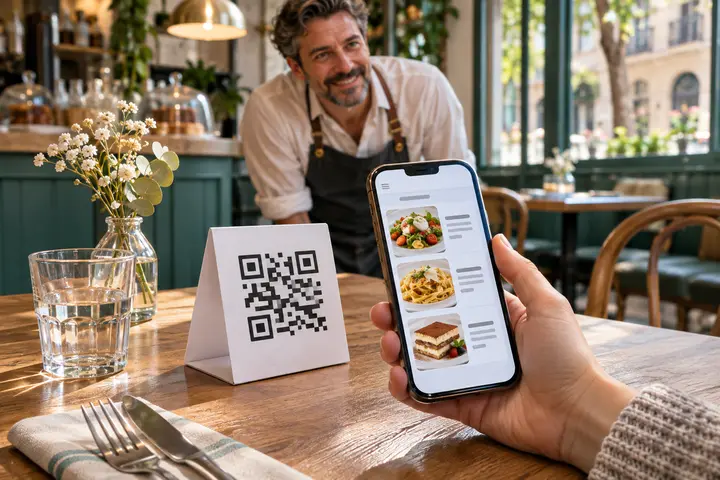
QR menu not opening is a service problem before it is a technical discussion. A restaurant, takeaway or cafe owner needs to identify where the guest gets stuck: the camera does not recognise the code, the link appears but the page does not load, or an unexpected menu opens. Separating these observations makes the next action clearer. Nina GO AI's QR Menu option includes a menu that opens on a phone and a restaurant website link. The business still needs to check the printed sign, its destination and the information guests actually see.
Can the phone recognise the table code?
Start from the guest's chair rather than the office desk. Light reflected from a shiny card may make the pattern difficult to read. Look for grease, creased paper, scratches or decorations covering part of the code. Move the card into comfortable light and try the camera from a natural distance. Include this inspection in opening preparation, alongside cleaning the table. The pattern in this article's illustration is decorative; an operational card must use a tested code generated from your actual menu link.
A successful scan on the owner's familiar phone is useful but limited evidence. With permission, try a colleague's device as well. Explain the process to the guest instead of taking their phone away. Personal device settings are not something staff should change casually during menu assistance. Notice whether the camera offers a link at all. If it does, repeated attempts to photograph the same code are unlikely to clarify a later page-loading problem.
Does the link reach your restaurant's menu?
Inspect the address offered by the phone. An unfamiliar destination, an unexpected sticker placed over the card or a retired menu address deserves attention before another guest uses it. Remove an unverified card from service and compare it with the link your business has approved. This is an operational check, not a promise of complete security. Apply the same routine after replacing damaged cards or moving signs between tables.
Open the guest link in an ordinary browser rather than relying on an administrator view that is already signed in. Recognising a code and loading a website are different steps. If the camera offers the correct address but the page does not open, ask whether the guest has internet access without requesting private passwords or accounts. Keep the diagnosis factual. A loading failure alone does not establish whether the cause sits with the device, connection or destination.
Is the menu useful after it opens?
Reaching the correct address is only part of the acceptance check. Read the category headings, product names and descriptions from a guest's perspective. Can someone identify the dish they want to ask about? If an ingredient is unclear, confirm it with the responsible person. Do not complete allergen information using an AI guess. Staff explanations and the visible menu should describe the same products. A tidy screen does not prove that every imported detail is correct.
Nina GO AI accepts photos of all menu pages, a PDF or an existing QR menu link in the same WhatsApp conversation. Registration also provides a route to upload through the panel. The system reads products, categories and supplied information; the business reviews the result. Preparing content this way does not replace testing access at the table. See how Nina GO AI works for the product route. Before replacing cards, read the QR destination and reprint check; for imported content, use the menu photo review guide.
Keep help available during service
When the guest cannot open the page, help them choose without waiting for the investigation to finish. Keep an approved current menu reference available to staff. A printed menu or a spoken explanation can provide a practical alternative. This does not mean that the QR service automatically works offline. Staff should know which reference is current and who can answer ingredient questions. Offer the same help to guests who simply prefer not to use a phone.
Record the table, the failed step and the action in a short shift note. “Code recognised, destination did not load” is more useful than “QR broken”. If a card is replaced, check the replacement in its actual position before calling the task complete. The next shift should be able to distinguish a resolved issue from an open question. Try Nina GO AI free, prepare your own menu and verify the guest journey where it matters: at the restaurant table.